Setup guides
Every streaming app can show a web page on top of your stream. Add your overlay link as that element, size it, done. Your links are in the dashboard.
Recommended size: 420 × 500 px for the full overlay, 420 × 640 px for the session card, full stream width × 60 px for the ticker bar (it scrolls; add
&scroll=0 for a static bar). Leave the background transparent; the overlay has none. One link per view covers every account you link: the overlay shows the account that played most recently and switches on its own.OBS Studio and Streamlabs Desktop
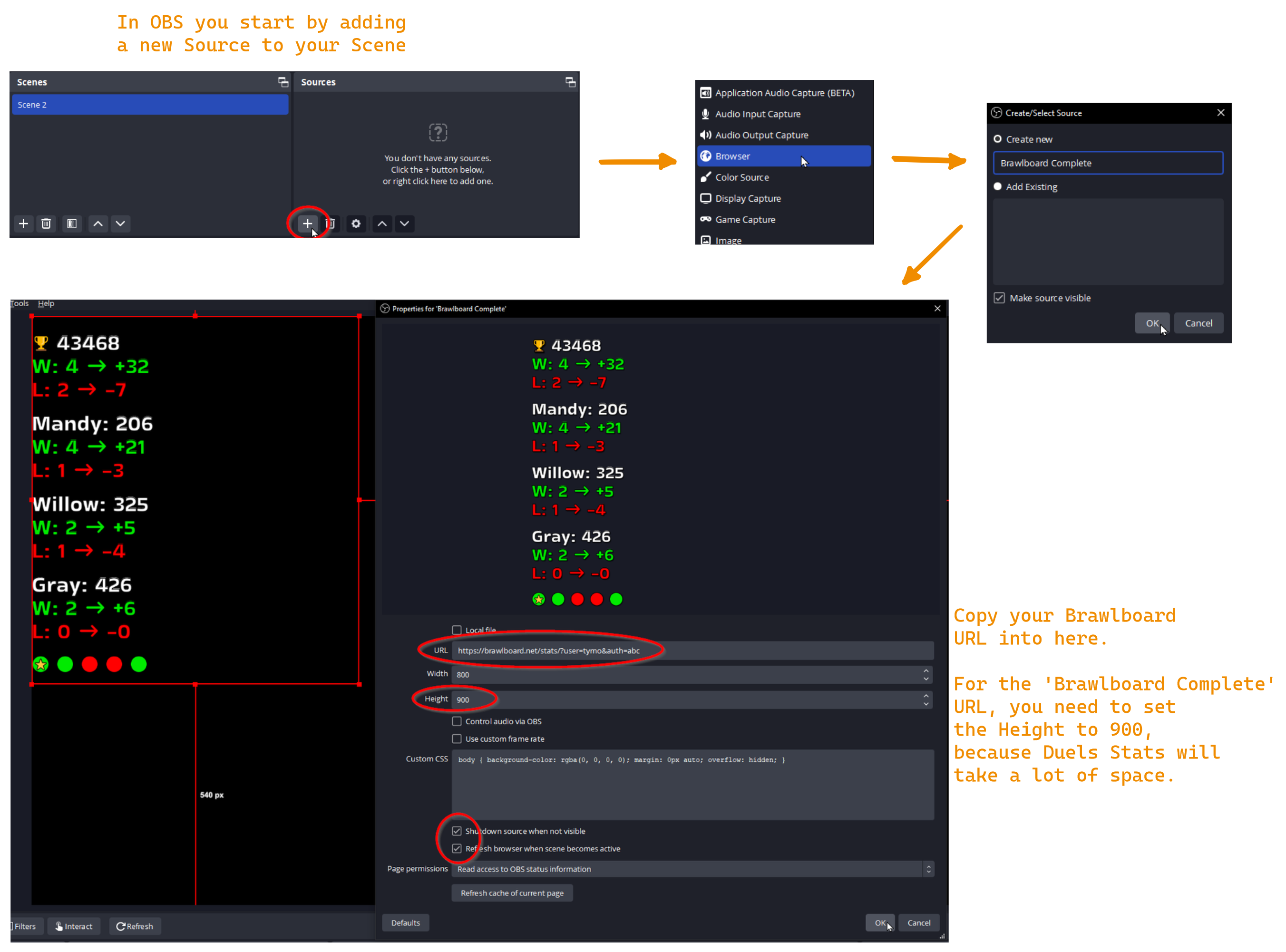
- In your scene, add a source and pick Browser.
- Paste your overlay link into URL, set width 420 and height 500.
- Keep the custom CSS field as it is (the overlay brings its own transparent background).
- Position the source. The full overlay is the complete package; the single blocks (trophies, brawlers, ranked, K/D, win streak, match history) and the ticker bar are one browser source each, so you can arrange them freely. Add
&layout=rowto a link to place its blocks side by side.
Streamlabs app (Android / iOS)
- Create or open a stream scene in the Streamlabs app.
- Add a web element (sometimes called Browser Source, Web Source or HTML Overlay) and choose the URL option.
- Paste your overlay link and save the element.
- Resize and position it on your scene.
StreamChamp (iOS)
- Open StreamChamp and tap anywhere on your stream preview.
- Tap Add and choose Add HTML overlay.
- Name the widget, paste your overlay link and tap Done.
If the overlay stays hidden, an image layer is probably above it. Move the overlay layer up or re-add the image layers below it. Without a battle in the last 60 minutes the overlay only shows "start playing".
Any other streaming app
- Find the option to add an element or widget to your scene.
- Pick the web-based one: Browser Source, HTML Overlay or Web Source.
- Paste your overlay link into its URL field, save and position it.
Stuck? Ask on our Discord.